Poster Generator for GDM La Merced Club
/ 3 min read
Table of Contents
Introduction
During these past days, I have been working on a poster generator for the GDM La Merced club.
The poster generator is a web application that accesses an email inbox where the game schedules and their respective data are sent. These data are processed, and a poster with the game details is generated.
This web app was born out of the need to weekly create posters for the games, including their schedules—a tedious and repetitive task.
This process used to be done by a club member, who was responsible for checking the emails for game schedules, loading the poster template into image editing software, and filling in the game data on the template.
A few months ago, I created a NodeJS program that reads data from a JSON file and generates a poster with the game’s details. This solved the part of generating the poster but not the part of obtaining the game data, and the program still had to be executed manually.
That’s why, during these weeks as I’ve been learning PHP in class, I saw the possibility of using PHP variables to print the game data on the poster template and thus automatically generate the poster.
Additionally, I discovered through research that PHP can read emails using the IMAP protocol. So, it occurred to me that if I could read the emails, I could extract the game data and pass it to the poster template.
Objectives
- Automatically generate game posters.
- Avoid having to install programs on the device.
- Be able to run the program from any device.
Usage Process
The process is as follows:
- The designated email inbox receives an email with the game’s details, as shown in the image below:

- The email is read and processed by the web application, which extracts the game data.
- Once all the emails are read, a list of that week’s games to be included in the poster is displayed:
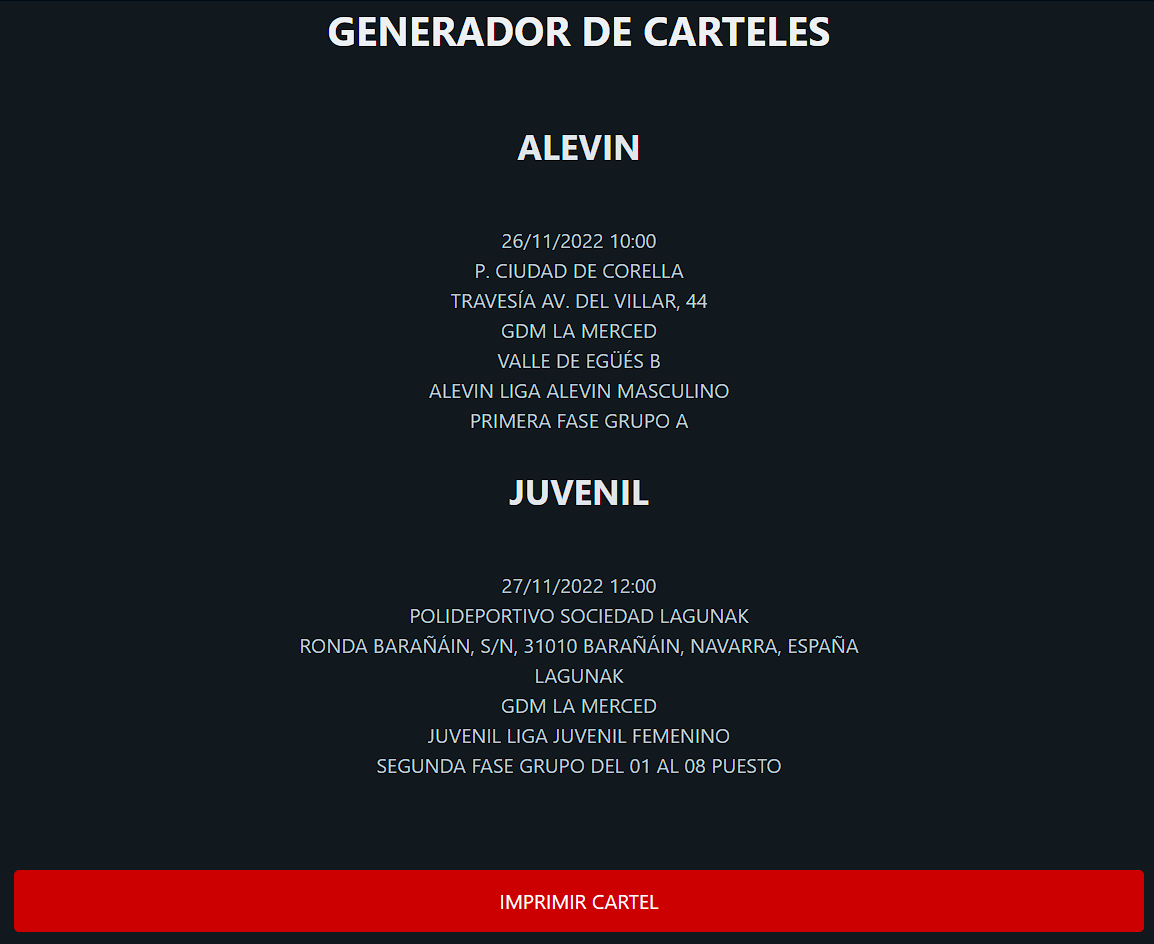
- By clicking the “Print Poster” button, the poster with the selected game details is generated, and a print preview is displayed to either print to PDF or directly print:

Technologies
The following technologies were used in the development of this application:
- PHP
- HTML
- CSS
- JavaScript
Backend
The backend was developed using PHP. The PHP IMAP library was used to read emails, allowing the application to retrieve messages from an IMAP server. Once the emails are read, the game data is processed and stored in memory. Once saved, the data is displayed in the list interface.
Frontend
The frontend was developed using HTML, CSS, and JavaScript. The user interface is based on an existing poster template from Photoshop, although a redesign is planned soon. JavaScript was used to trigger the print preview without requiring the user to click the browser’s print button.
Conclusions
Developing this application has been very interesting, as I learned to use the PHP IMAP library to read emails from an IMAP server. Additionally, it helped me learn how to migrate a project originally developed in NodeJS to PHP, as the hosting provider where the application is hosted does not support NodeJS. This method is also much simpler for a user who has no programming knowledge.